Chess opening trainer

Build it. Drill it. Find where it breaks.

Repertoire Studio turns your opening files into a repertoire you can trust and remember, then shows you, game by game, where your preparation held and where it broke.

No account needed to start. Your repertoire stays in your browser until you sign in to sync it.

Repertoire Studio’s explorer: a Scandinavian line with a course note, the prepared reply and the gaps in it

You studied the line. Then you forgot it on move nine.

Opening prep fails in three places: your lines have weak spots you never checked, they never make it into memory, and your real games drift away from them without you noticing. Repertoire Studio works on all three.

1
Prepare

A repertoire you can trust

Build

Bring the files you already have

Import PGN files, course exports and Lichess studies, or add lines move by move. Everything merges into one tree per colour, with your notes, and transpositions are recognised wherever they appear. Link Lichess to see what masters and strong online players reply in every position.
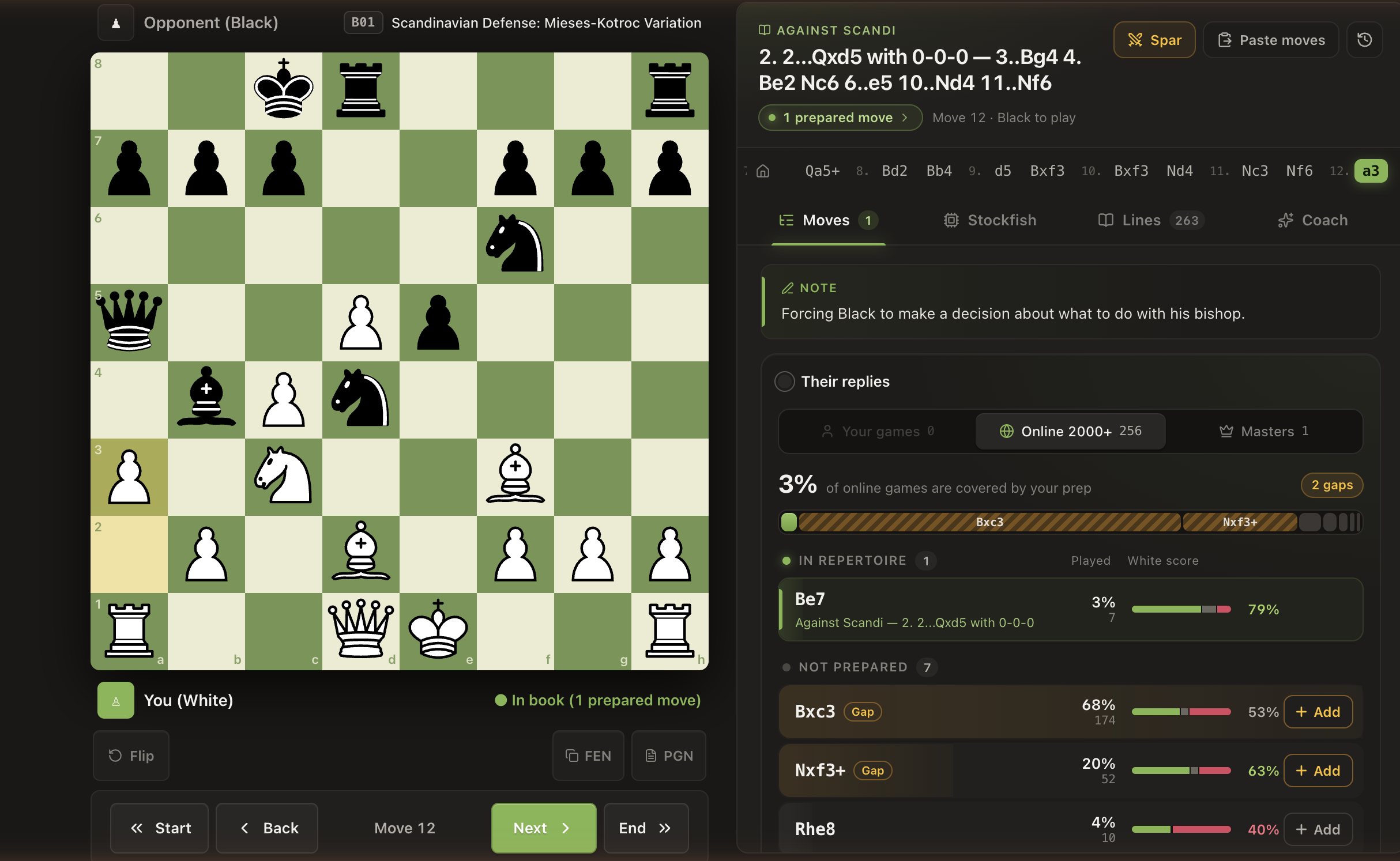
The repertoire explorer at move 12 of a Scandinavian line: a course note, the prepared reply, and two popular replies flagged as gaps
Check

Catch the weak moves before your opponents do

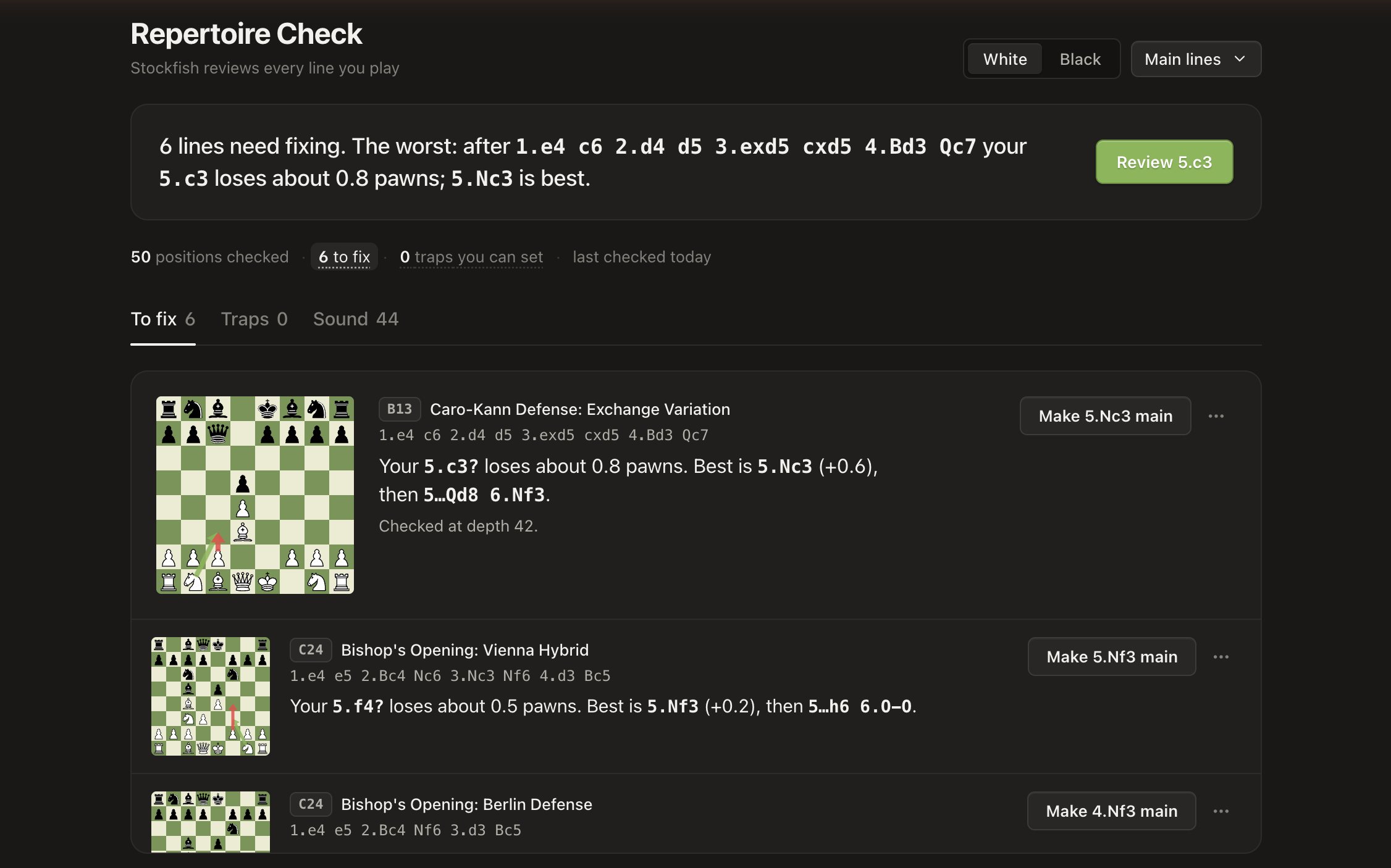
Repertoire Check runs every move you’ve prepared past Stockfish and deep cloud evaluations. It flags the moves that lose ground, says how much they cost and what’s better, and points out traps your lines let you set. With Pro, swap in the better move in one click.

Repertoire Check after checking 50 positions: six lines to fix, each with the cost in pawns, the better move and a one-click fix
2
Remember

Lines that stay with you

Train

Drill it until it sticks

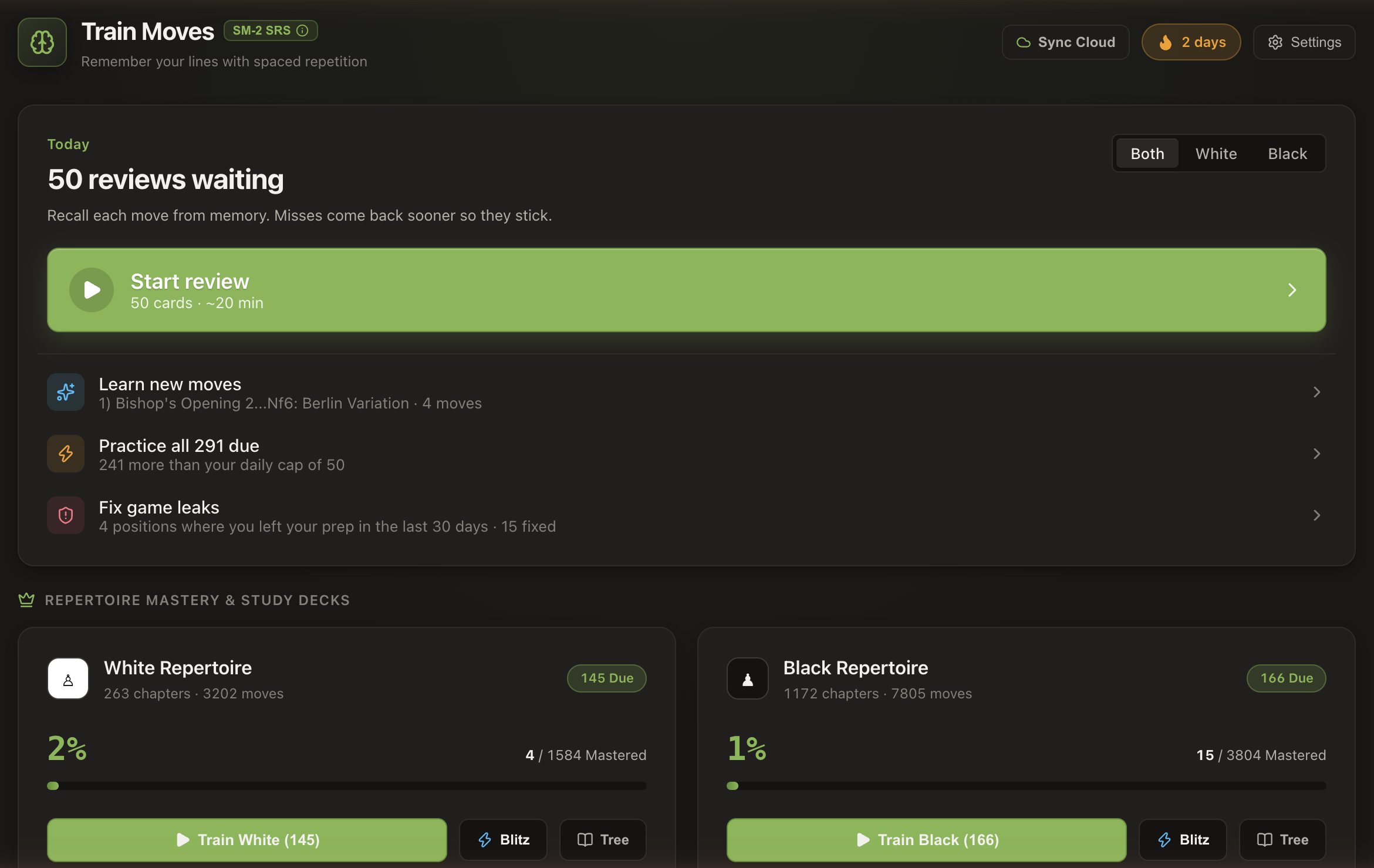
Each new line starts as a coached walkthrough with arrows and notes. Then spaced repetition brings every move back just before you would have forgotten it, the moves you keep missing get their own drills, and the positions where your games left your prep come back as leaks to fix.

The trainer: 50 reviews due today, new moves to learn, game leaks to fix, and White and Black repertoire decks with mastery progress
Spar

Play it before it counts

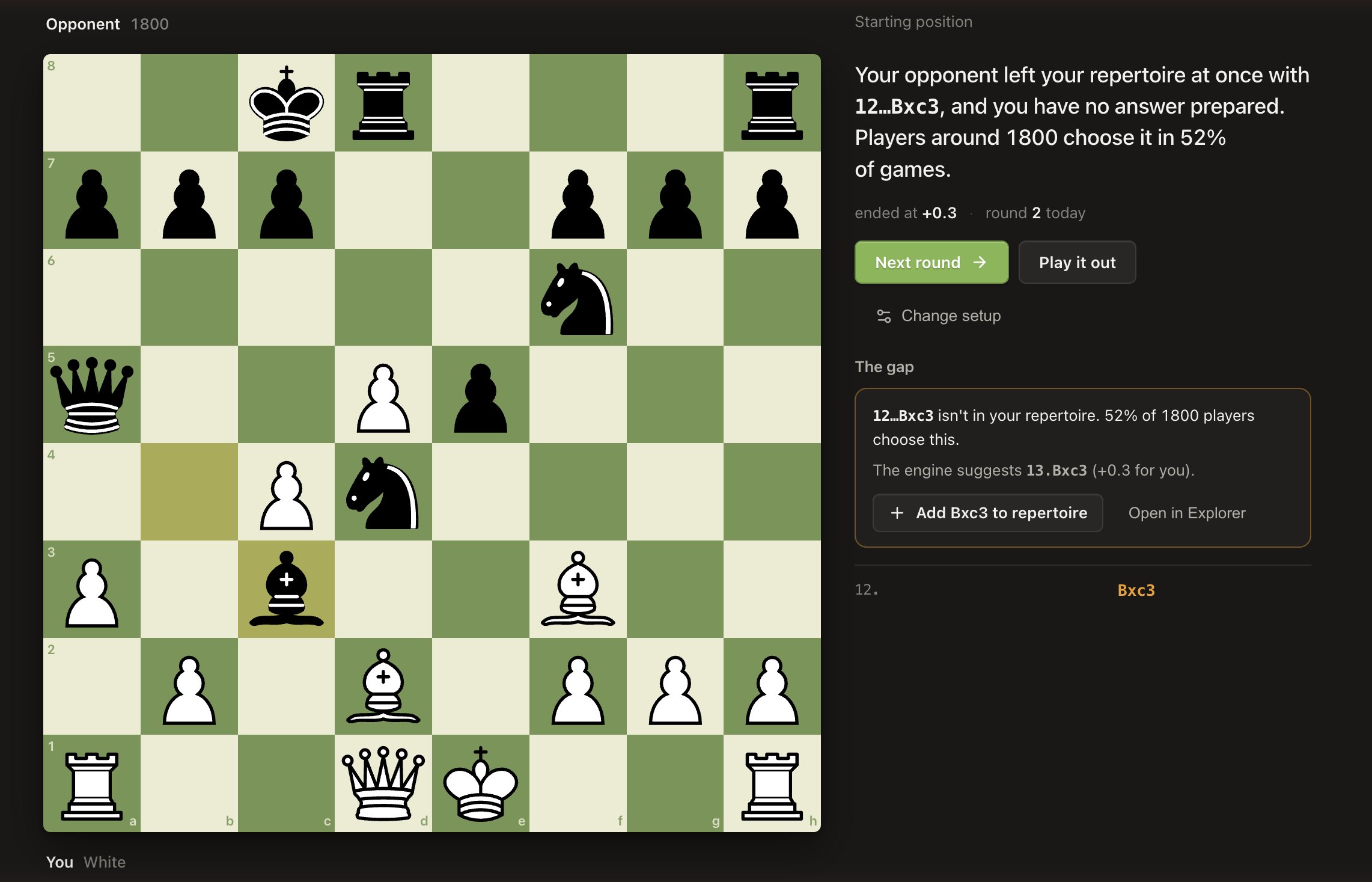
Play your lines against an opponent that chooses moves as often as real players at your rating do. The moment you leave your preparation, it stops you and shows what you had prepared.

A sparring round in which the opponent plays 12…Bxc3, a reply with no prepared answer, with the engine’s suggestion and a button to add it
3
Review your games

Learn from the games you actually play

Deviations

See exactly where each game left your prep

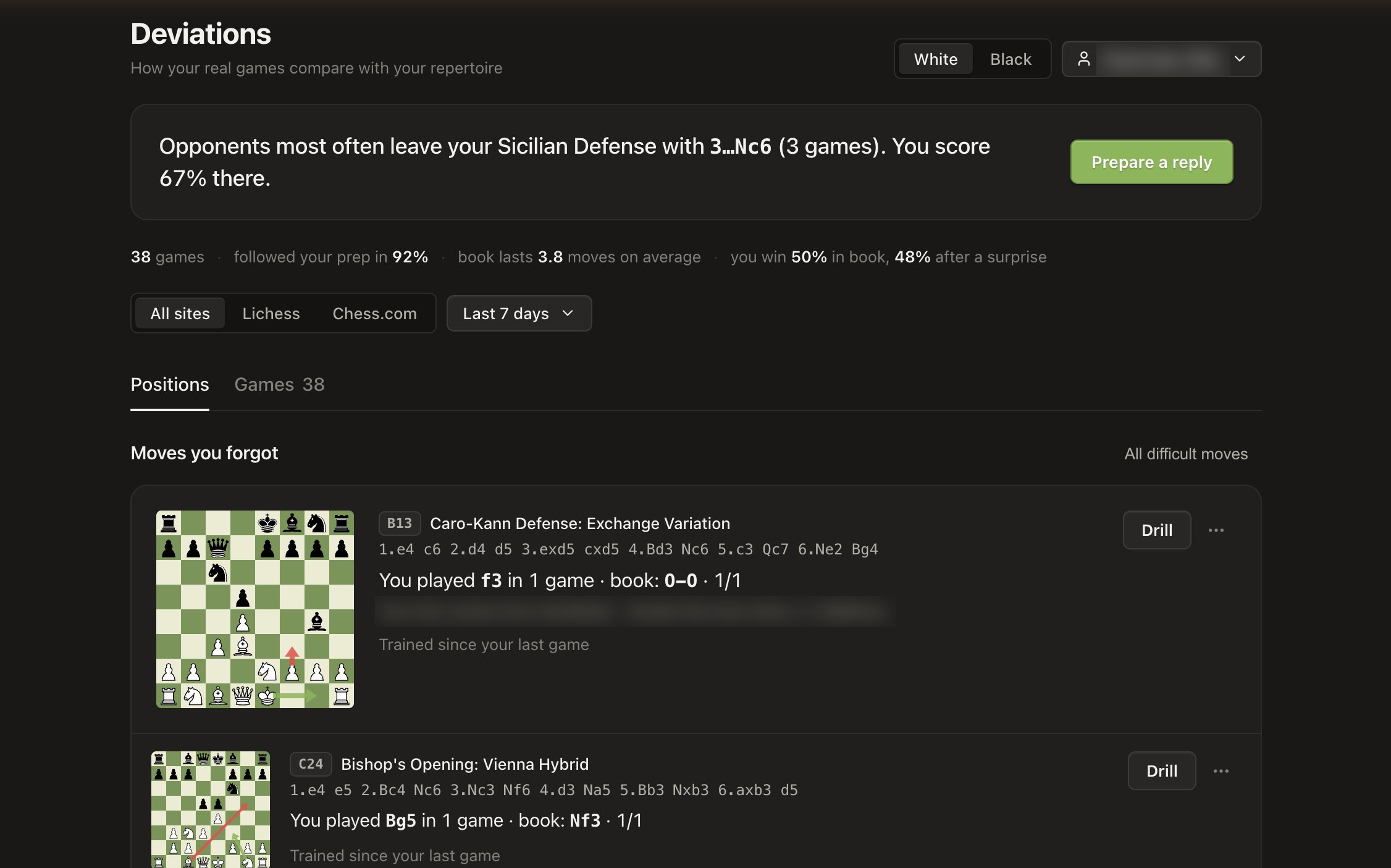
Link Lichess or Chess.com and every game is compared with your repertoire. Repertoire Studio separates the moves you forgot from the moves opponents surprised you with, shows how you score in book and after a surprise, and turns each one into a drill or a reply to prepare.

Deviations across 38 games: how often the prep was followed, where opponents most often leave it, and the moves the player forgot
Game Analysis

Understand what decided the game

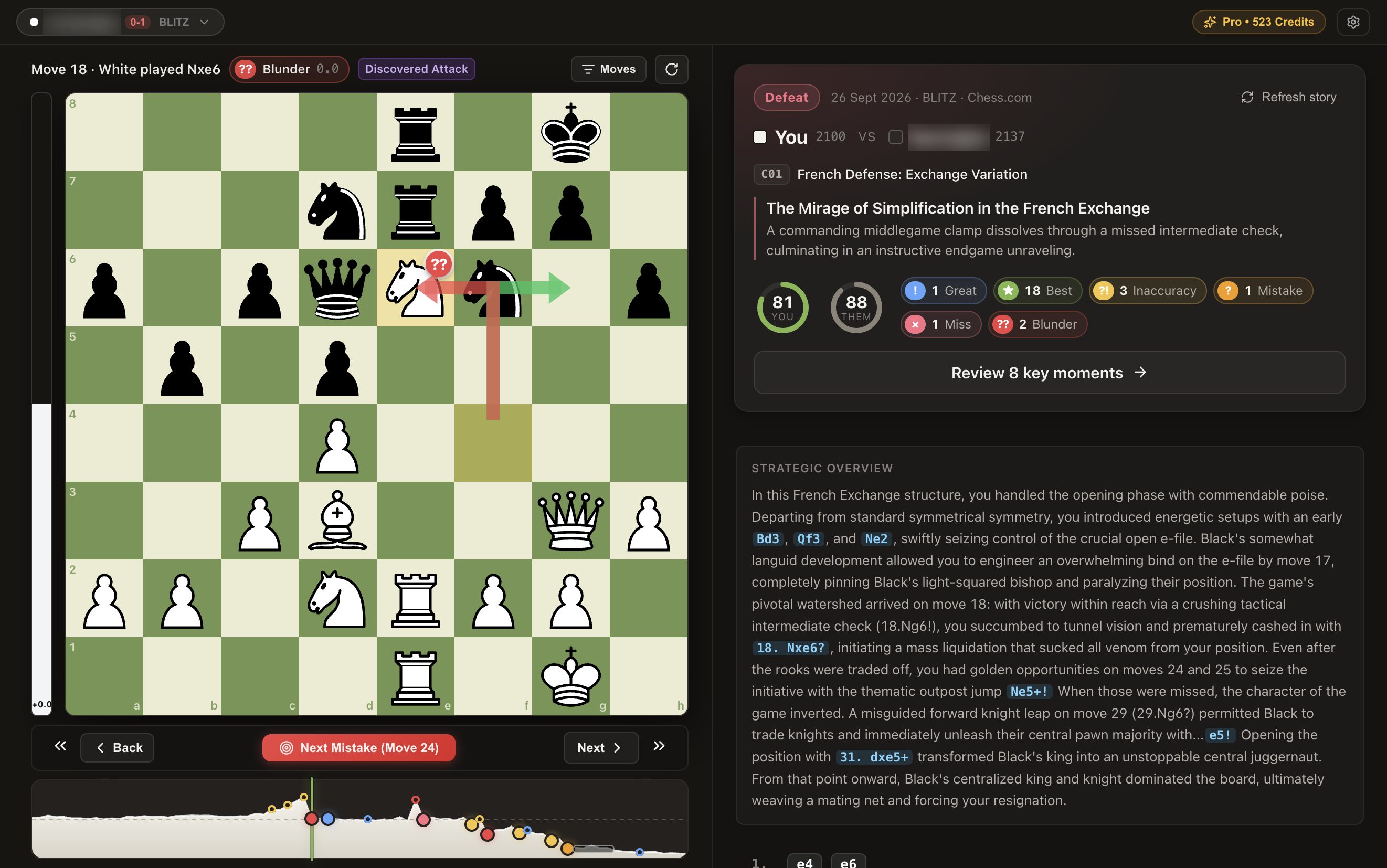
Stockfish grades every move, then your AI coach writes the story of the game: the turning points and the better moves, where the game left your repertoire, and how the clock played its part. Ask follow-up questions about any moment, and see the blindspots that keep coming back across your games. A game review uses 10 coach credits.

Game Analysis at a blunder on move 18, with the coach’s headline and story of the game, accuracy for both players and the evaluation graph
Also inside

Ask the coach about any position

Plain-language answers grounded in engine lines and your own repertoire, right in the explorer.

Difficult moves, found for you

The positions you keep getting wrong in training or in games, collected in one place to drill.

Nothing gets lost

Every change is recorded, restore points let you roll back, and signing in syncs it all across devices.

Masters and online stats

With a free Lichess token, see how often masters and 2000+ players choose each move, next to your prep.

Free, and Pro when you want it

Everything you need to learn your openings is free.

Pro is for players who want every line checked and every game compared, from $4.92 a month.

Compare plans
  • Build, import, train and sparFree
  • Repertoire checkFirst 10 positions · Pro: all
  • DeviationsLatest 25 games · Pro: all
  • AI coach credits25 to start · Pro: 500 / 30 days

Questions

Is Repertoire Studio free?

Yes. Building, importing, training and sparring are free, with no time limit. Pro ($7.99 a month, or $4.92 a month billed yearly) checks every position in your repertoire instead of the first 10, compares every synced game instead of the latest 25, and adds 500 AI coach credits every 30 days.

Do I need an account?

No. You can build and train without signing in; your repertoire is stored in your browser. Sign in with Google to sync it across devices and to use the AI coach.

Can I import the openings I already have?

Yes. Paste or upload PGN files, including multi-chapter course exports and Lichess studies. New files merge into your existing tree instead of replacing it.

Which game sites can it compare my games from?

Lichess and Chess.com. Link your username and Repertoire Studio shows the exact move where each game left your preparation, and whether it was you or your opponent.

What are coach credits?

The AI coach uses credits: a quick question costs 1, a standard one 2, a deep one 5, and a full game review 10. Every new account gets 25 free. Extra packs never expire.

Can I cancel Pro anytime?

Yes. Cancel before your renewal date from Settings → Manage billing; Pro stays active until the end of the period you paid for, and your repertoire is never deleted when you downgrade.

Your openings, remembered.

Open Repertoire Studio, free

I built it because I kept forgetting my own prep. — Trivedh, FIDE-rated player